Real Estate Virtual Tour Hosting: Complete Guide 2026
Introduction
According to the National Association of Realtors, listings with virtual tours receive about 87 percent more views than listings without tours. That extra attention turns into more inquiries, faster offers, and stronger fees. So the choice of virtual tour hosting software is a direct business decision, not just a tech preference.
This guide explains what real estate virtual tour hosting is, which features matter, how pricing models work, and how to compare platforms. You will also see why TeliportMe, with more than 14 years in this space, is a strong long term choice. If that means paying a little more than a bare bones host, the extra cost is usually small compared with the time saved and the stability you gain from a world-class platform.
Key Takeaways
Busy real estate teams need a fast overview before going deep. The points below summarize how to choose the right software.
The hosting platform matters more than the camera because it controls image quality, load speed, tour structure, and where tours can appear. A great camera on weak hosting still gives a clumsy experience, while solid hosting can make mid range images feel polished and easy to explore.
Six core feature groups shape results for most agents and property managers: resolution and device support, hotspots and floor plans, branding control, analytics, sharing options, and developer access. A platform that covers all six keeps your tech stack simple and avoids extra contracts.
Pricing models change your bottom line even when headline fees look similar. Per tour pricing tends to help very occasional users, while active agents and teams usually pay less on a subscription plan. The right fit depends on how many listings you promote each month.
Resolution and device compatibility are non negotiable because buyers research on many screens. If tours look blurry on a Retina laptop or freeze on a phone, people drop off. VR support also matters more every year as headsets like Apple Vision Pro move into the mainstream.
TeliportMe provides an all in one toolbox, high resolution hosting, and more than 14 years of real use by real estate, hospitality, and education clients. That history, plus a free unlimited trial, makes it a low risk way to start with a world-class platform, even if it costs a little more than a bare bones tool.
What Is Real Estate Virtual Tour Hosting — And Why Does It Matter?
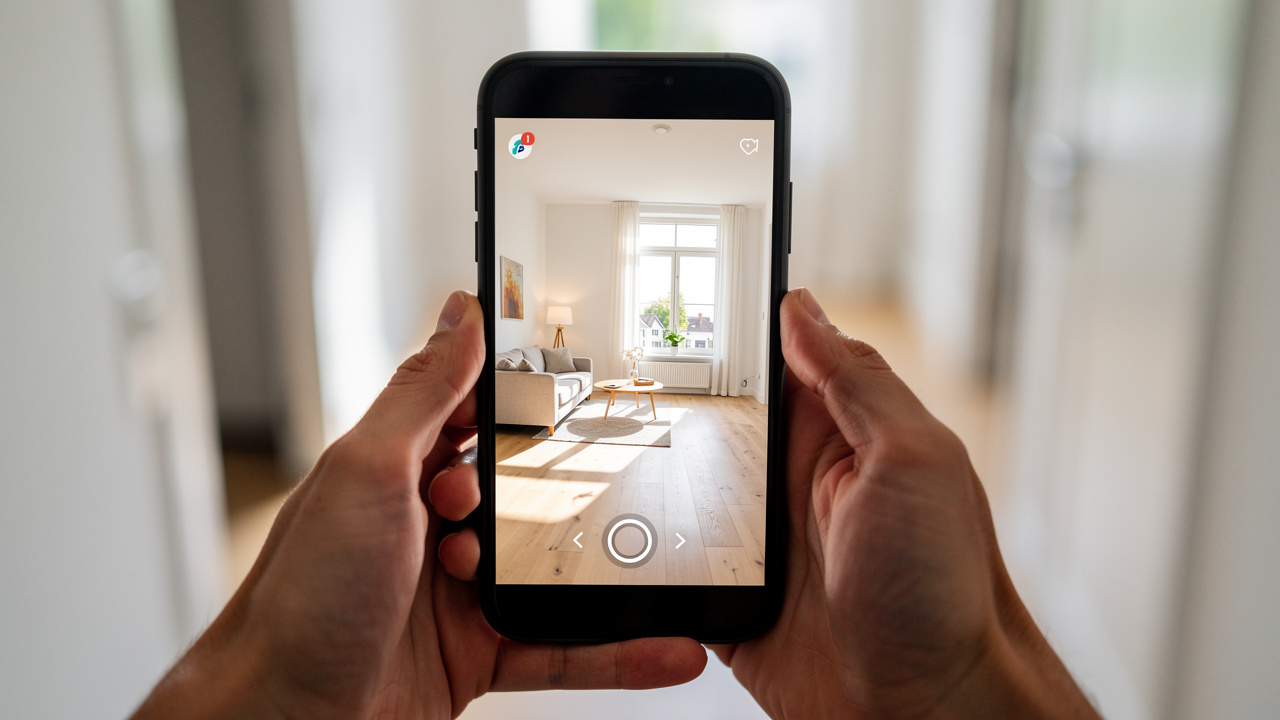
Real estate virtual tour hosting means using a cloud platform to store and deliver interactive 360 property tours through share links and embeds. Instead of a flat video clip, buyers see a space they can move through room by room at their own pace. The hosting layer keeps that experience smooth for viewers.
Behind the scenes, good hosting handles:
Secure storage for large 360 image and video files
Image rendering and compression so tours load quickly
Compatibility with common browsers and devices
Bandwidth and traffic spikes when a listing gets popular
Research from Matterport shows that listings with 3D tours can sell for 4 to 9 percent more and spend up to 31 percent less time on market. Combined with NAR data about higher view counts, that means a solid hosting setup directly affects gross commission income. It filters out weak leads and gives serious buyers what they need to move forward.
On the back end, real estate virtual tour hosting keeps you away from server headaches. Instead of running your own infrastructure, you upload panoramas or 3D outputs into a purpose built system such as TeliportMe, CloudPano, or Matterport. The platform then creates a link and embed code that you can place on the MLS, Zillow, Realtor.com, or your own site without extra plugins.
For teams and agencies, hosting also creates a single place to manage hundreds of tours. A property manager can update scenes, replace media, or check analytics for many buildings from one dashboard. That central control is hard to match with generic file sharing sites.
How Hosted Virtual Tours Differ From Photo Galleries And Video Walkthroughs
Hosted virtual tours differ from photo galleries and simple videos because they give viewers control, and How Buyers Really Use virtual tours reveals that this interactivity directly influences purchase decisions and time spent engaging with a listing. A gallery shows separate images, and a video plays from start to finish, but a hosted tour lets a person turn around, zoom in, and move between rooms in any order.
A clear way to see the difference:
Photo galleries: Good for quick highlights, but viewers must guess how rooms connect.
Video walkthroughs: Give a guided feel, yet viewers are stuck with the camera path and pace.
Hosted virtual tours: Let buyers decide where to look, when to move, and what to inspect closely.
That interactive feel gives buyers more useful detail. Instead of guessing how the kitchen connects to the living room, they can click a hotspot and step right through. They can leave the tour, think about furniture, and return later to check room dimensions again without scrubbing through a video timeline.
Hosted platforms also add features that YouTube or a slide viewer cannot provide. You get hotspot links, floor plans, information cards, background audio, and VR modes that work in most browsers. As Jeff Allen, president of CubiCasa, explains, virtual tours give buyers a clearer understanding of the space and help answer questions such as whether the layout works for them and whether their furniture will fit.
Tip For Agents: Watch every new tour on your phone and laptop before sending it to clients. If you feel even slightly lost about where to click next, add clearer hotspots or labels.
What Features Should You Look For In A Virtual Tour Hosting Platform?
When choosing virtual tour hosting software, the most important features are the ones that match your daily workflow. A solo agent with ten listings a year needs different tools than a property management company with hundreds of units online at once. Clear criteria prevent you from paying for extras that never help your marketing.
At a high level, you want six feature groups:
Image quality and device support – high resolution limits, fast loading, and reliable viewing on phones, tablets, laptops, and VR headsets.
Hotspots and multimedia – navigation points, info cards, floor plans, video, audio, and optional 3D objects.
Branding and domains – your logo, colors, and custom domains instead of the vendor’s name.
Analytics – data on views, engagement, and click paths to guide future marketing.
Distribution options – simple links and embeds that work on MLS systems, portals, and your own site.
Developer access – APIs or SDKs if you want to plug tours into custom apps or internal tools.
Platforms like TeliportMe combine all of them so you do not have to build a patchwork system of separate apps.
Feature choice also influences how easy it is to scale. If your software supports white label branding, subaccounts, and API access from day one, you can grow from one agent to a whole brokerage without switching tools halfway through. That reduces training time and keeps your team on a shared process.
Resolution, Device Compatibility, And VR Support

Resolution and device compatibility sit at the base of any good hosting choice. Real estate buyers browse listings on phones, tablets, laptops, and growing numbers of VR headsets, so your tours must load quickly and look sharp on all of them. If images blur when someone zooms in, they stop trusting what they see.
TeliportMe supports image files up to 32K resolution, which is among the highest limits offered in virtual tour software for real estate. That level suits drone photography, DSLR panoramas, and high end interiors where texture and small details help sell the space. It also means tours still look clean on large monitors in a sales office.
Device reach matters just as much:
Browser support: TeliportMe runs in modern browsers on Windows, macOS, iOS, and Android without asking viewers to install an app.
Mobile first: Tours adjust to small screens so buyers can explore easily from a phone.
VR compatibility: TeliportMe works with VR headsets, including Apple Vision Pro, which aligns with the push toward spatial computing.
Platforms such as CloudPano and RICOH360 Tours follow the same principle because any friction at this step cuts conversion.
For teams planning to serve remote investors or overseas buyers, VR support is now more than a novelty. According to Matterport, buyers who explore a 3D tour feel more confident making offers from a distance. With Apple Vision Pro and Meta Quest devices becoming more visible, it makes sense to choose hosting that is already ready for those screens instead of patching it in later.
Practical Tip: Test one of your key listings on the slowest phone and internet connection you can find. If the tour still loads well, you are in a safe range for most buyers.
Hotspots, Floor Plans, And Multimedia Integration

Hotspots, floor plans, and multimedia tools turn a simple view into a detailed property story. Hotspots are clickable icons that move a viewer into the next room, open a pop up note, show a short clip, or display a detail image. They guide people through the space while drawing attention to features that matter for that listing.
Common uses for hotspots include:
Moving from room to room in a clear order
Highlighting finishes like stone counters, fixtures, or built ins
Linking to PDF documents such as disclosures or feature sheets
Showing close up still photos, videos, or 3D models of key elements
Floor plan integration answers the practical questions buyers ask once they like what they see. They want to know room dimensions, door positions, and how light moves during the day. Platforms like iGUIDE and Realvision focus strongly on this link between plans and tours, but you can also reach that level inside TeliportMe.
TeliportMe uses a GPU powered browser editor, so you can add custom hotspots, nadir and zenith patches, 3D floor plans, background audio, and interactive cards without installing desktop software. Those cards can hold text, photos, or even external content such as YouTube clips. You can also drop in 3D models or 360 video where that helps explain a feature.
This kind of multimedia layering is useful beyond residential real estate. Hotels, schools, and tourism sites use platforms such as 3DVista to add ambient audio and live panoramas. TeliportMe brings similar flexibility into a web based workflow, which suits agents and marketers who want strong results without editing on a separate desktop program.
How Does Pricing Work For Virtual Tour Hosting Software?

Pricing for virtual tour hosting software usually falls into two clear groups: per tour fees and flat monthly subscriptions. The right structure depends on how many listings you handle and whether you build tours for clients. Understanding the tradeoffs helps you protect margin when markets slow down.
Per tour pricing works like a one time ticket. You pay a set amount for each property, often with a fixed hosting period.
Subscription pricing acts more like rent for your toolbox. You pay the same fee every month in exchange for unlimited or high volume hosting.
Here is a simple comparison drawn from leading platforms:
Platform | Model | Price | Tour Volume |
|---|---|---|---|
Matterport | Monthly | $69 per month | Up to 20 tours |
RICOH360 Tours | Monthly | $39 per month | Unlimited |
CloudPano | Monthly | $33 per month | Unlimited |
Asteroom | Per tour | $59 per tour | 180 day hosting |
BoxBrownie.com | Per tour | $16 per tour | Per listing |
TeliportMe | Subscription | Free trial + paid plans | Unlimited with active subscription |
Per tour models from Asteroom or BoxBrownie.com suit agents who only need a handful of tours each year. You avoid paying in slow months, which keeps costs tight for part time work or test campaigns. The tradeoff is that regular users usually pay more over a full year.
Subscription models from CloudPano, RICOH360 Tours, Matterport, and TeliportMe tend to make more sense once you have three or more active listings at a time. You pay one predictable fee while creating tours as often as you like. TeliportMe also folds creation tools, analytics, white label options, and SEO friendly hosting into the same plan, so you do not need separate software.
When comparing costs, ask yourself:
How many new listings do I expect per month over the next year?
Do I want to host off market or sold properties for longer term marketing?
Is it cheaper in time and money to keep everything in one platform?
The free unlimited trial at TeliportMe is useful if budget is tight. You can build and share full tours, then compare the experience side by side with current tools before paying. For many agents, one extra closing or a faster contract more than covers a year of subscription cost, and New virtual tour data: on unit-level media shows that the right hosting investment consistently increases rent revenue and speeds up conversions.
Which Real Estate Virtual Tour Hosting Platform Should You Choose?
Choosing a real estate virtual tour hosting platform comes down to five filters: resolution quality, feature depth, pricing, distribution reach, and branding control. No single tool wins for every possible user, but some cover more ground with fewer compromises.
Platforms like Matterport, CloudPano, RICOH360 Tours, Asteroom, 3DVista, BoxBrownie.com, and TeliportMe all support interactive virtual tour real estate use cases. The question is which one fits your current gear, target clients, and growth plans. Here is how TeliportMe fits first, then how the others line up.
TeliportMe: An All-In-One Platform Built For Real Estate Professionals
TeliportMe has operated for more than 14 years, which is rare in this young software category. That history signals a stable company, a consistent product roadmap, and support that has seen most problems before. It matters when you have paying clients relying on your tours and you want a platform you will not have to replace in a year or two.
On the imaging side, TeliportMe handles up to 32K resolution and accepts output from Ricoh Theta, Insta360, GoPro, and DSLR rigs. It is also one of the few major players with its own 360 photo app on both Android and iOS, so you can shoot directly from a phone when needed. That helps new users start without buying gear on day one.
The GPU based browser editor lets you build tours inside any modern browser. You can add hotspots, floor plans, 3D models, 360 video, background audio, and branded info cards without installing heavy desktop software. White label options and custom domains keep the TeliportMe brand out of client facing links, which is a priority for many agencies.
TeliportMe also provides detailed viewer analytics showing views, time per scene, click paths, and viewer location. That data feeds back into your marketing decisions. Agencies gain extra tools such as subaccount reselling and an affiliate setup, so they can package real estate photography virtual tour services as a new revenue line. For developers, TeliportMe exposes APIs and SDKs that plug into custom listing portals or property management systems.
In practice, that means:
Solo agents can create and host tours from their phone or camera with minimal setup.
Small teams can standardize branding, domains, and workflows across all listings.
Agencies and media companies can resell tours at scale under their own brand.
If you compare the cost of juggling separate creation, hosting, analytics, and white label tools, paying a little more for a single TeliportMe subscription is often the simpler and safer option.
Best Practice: Treat your virtual tour platform as core business infrastructure, not an experiment. Moving dozens of tours between hosts later costs far more than choosing a stable provider upfront.
How Other Platforms Compare
Other real estate 3D tour software options each lean into their own strengths:
Matterport focuses on spatial 3D models and the dollhouse view, along with strong integration into major portals. Its pricing starts at $69 per month for up to twenty tours, and its best features expect use of Matterport cameras.
CloudPano keeps pricing simple at $33 per month for unlimited tours and leans into portal integrations with Zillow, Realtor.com, Apartments.com, Trulia, Hotpads, and Zumper. It also offers live video chat inside tours, which suits remote showings with a host guiding buyers through each room.
RICOH360 Tours pairs closely with Ricoh Theta cameras and starts at $39 per month for unlimited tours. If your team already owns several Theta devices, that tight link can make workflows smooth.
Asteroom charges $59 per tour with hosting for 180 days, which can help low volume users who want to avoid a monthly bill.
For high end virtual open house software, 3DVista gives deep desktop editing and control, which professional photographers like for luxury real estate and hospitality, though it asks for a bigger learning curve.
BoxBrownie.com offers very low per tour hosting at $16, but with limited interactive features compared with full platforms.
In this group, TeliportMe stands out by combining a very high resolution range, its own capture app, white label hosting, SEO support, analytics, and VR or Apple Vision Pro compatibility inside one subscription. That mix is designed for real estate teams that want long term stability and are willing to invest a little more each month to avoid switching platforms later.
How Do You Distribute And Maximize The Reach Of A Hosted Virtual Tour?
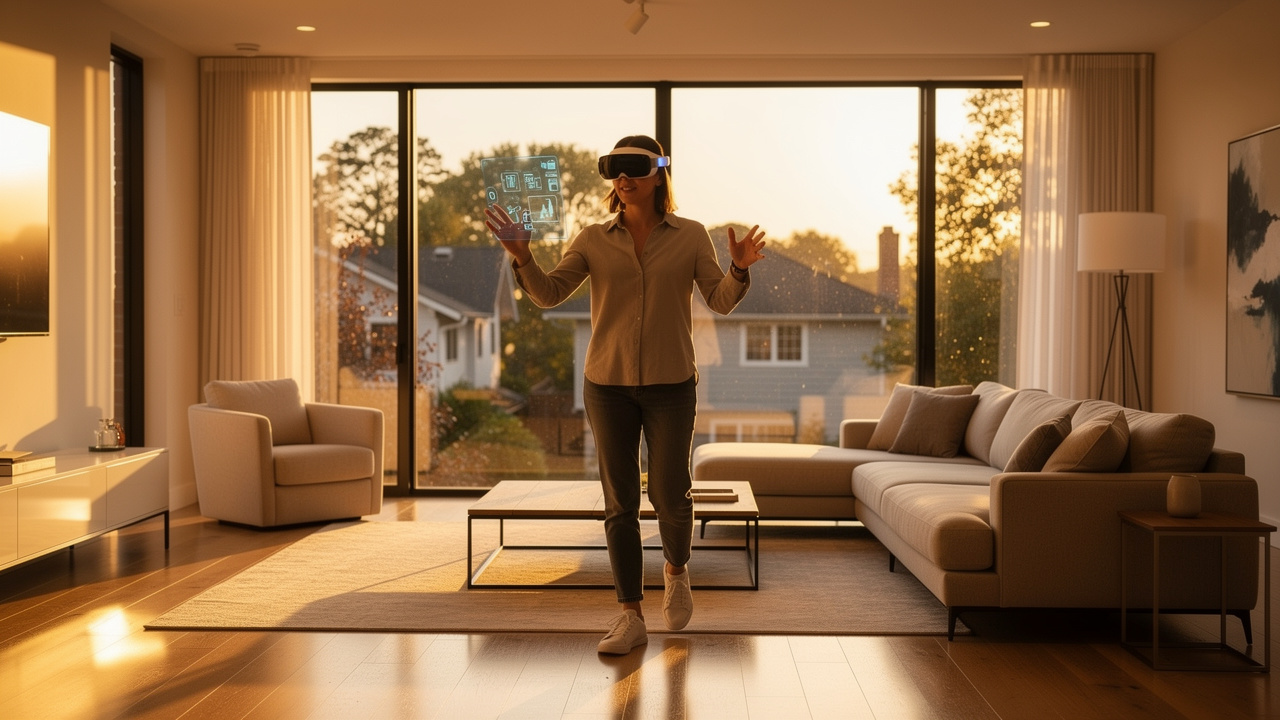
Distributing a hosted virtual tour well is just as important as creating it. A tour that only sits on a hidden link will not bring more leads, no matter how good it looks. Smart sharing helps your investment in real estate virtual walkthrough software pay off.
Start with the MLS, because that is where many buyers begin. Nearly all US MLS systems let you add a virtual tour link inside the listing record. Make it part of your listing checklist so every property with a tour includes that URL from day one, rather than adding it weeks later.
Portal syndication comes next. Sites like Zillow, Realtor.com, Apartments.com, Trulia, Hotpads, and Zumper all support tour links or embeds. Platforms including CloudPano, Matterport, and TeliportMe make this easy by producing ready to use URLs and iframe codes. With TeliportMe, you can also use a magic embed that adapts to the host site layout without extra coding.
Your own website and brokerage site remain key for brand control. Place virtual tours on:
Property detail pages
Neighborhood or community pages
Blog posts that highlight local inventory or market trends
TeliportMe offers SEO friendly URLs, meta tags, and sitemaps that help these pages appear in organic search over time, which adds a passive stream of buyers.
Do not forget social and email. Short screen recordings of 360 tour moves play well on Facebook, Instagram, X, and LinkedIn and can link back to the full interactive tour. In email, a single thumbnail image that clicks through to the hosted tour can raise click rates compared with a plain photo set. According to Tripadvisor, hospitality listings with virtual tours are 48 percent 48 percent more likely to receive bookings, which hints at how stronger visuals perform in other property markets too.
Physical marketing can also feed into your online tours. QR codes on yard signs, flyers, and postcards let people step straight into an online virtual tour platform while standing outside the property. TeliportMe supports this flow well, since each tour has a stable URL you can drop into any QR code generator.
A simple repeatable distribution checklist with TeliportMe might look like this:
Create and publish the tour inside TeliportMe.
Copy the public URL into the MLS virtual tour field.
Embed the tour on your own listing page using iframe or magic embed.
Add a short screen recording to social media with the tour link.
Print a QR code pointing to the tour for signs and print materials.
Tip For Teams: Build this checklist into your listing intake form so every agent follows the same steps. Consistency matters more than one-off marketing experiments.
Conclusion
The right virtual tour hosting platform is a business decision, not just a tech choice. You are selecting the system that will present your listings, support your brand, and shape the way buyers explore properties. That means it should meet clear standards on resolution, features, pricing, distribution, and branding control.
For many real estate teams, TeliportMe covers all five of those areas without needing extra software. You get high resolution hosting, flexible hotspots and floor plans, SEO ready links, detailed analytics, white label domains, and support for devices from smartphones to Apple Vision Pro. The same setup suits residential listings, rentals, hotels, schools, and more.
Virtual tours are no longer a nice extra in competitive US markets, as New Year's Resolutions Fail for most Americans who pick the wrong system — and the same logic applies to agents who delay adopting tools buyers now expect as standard. Buyers simply expect to see an interactive view before driving across town. With more than 14 years of consistent operation and a free unlimited trial, TeliportMe gives you a low risk way to test modern real estate virtual tour hosting against your current workflow. Even if the subscription costs a bit more than basic tools, the combination of stability, speed, and features makes it a practical long term choice for serious agents and teams.
Frequently Asked Questions
What Is The Difference Between Virtual Tour Hosting And Virtual Tour Software?
Virtual tour software is the tool you use to create and edit tours, while hosting is the service that stores and delivers them. Many products combine both pieces in one place. TeliportMe is an example, since it lets you build, edit, host, and share tours under a single subscription.
How Long Are Virtual Tours Hosted On These Platforms?
Hosting time depends on the pricing model that each provider follows. Asteroom, for example, includes about 180 days of hosting for each paid tour. Subscription based tools such as TeliportMe keep tours online as long as your account stays active, with no expiry date tied to a specific property.
Can I Host A Virtual Tour On My Own Real Estate Website?
Yes, you can host a tour on your own site by embedding it from your chosen platform. Most providers give you an iframe code or similar snippet you paste into a page. TeliportMe supports both iframe and magic embed, so agents can add tours to any website or blog without special plugins.
Is Virtual Tour Hosting Worth The Cost For Individual Real Estate Agents?
For individual agents managing several listings, hosting is usually worth the spend. NAR data shows that virtual tour listings attract far more views and more qualified leads. A single extra closing or saved price cut often covers a full year of subscription fees for a real estate tour hosting service such as TeliportMe.
Do Virtual Tour Hosting Platforms Support VR Headsets And Mobile Devices?
Most modern platforms support mobile browsers and at least basic VR viewing. Tours built with TeliportMe work on desktop, tablet, and smartphone screens without extra apps. They also run on common headsets, including Apple Vision Pro, so no buyer is left out because of the device they prefer to use.

Disclaimer: The information provided in this article is for general informational and educational purposes only and is not a substitute for professional or legal advice. While we strive to keep the information up to date and correct, we make no representations or warranties of any kind, express or implied, about the completeness, accuracy, reliability, suitability, or availability with respect to the website or the information, products, services, or related graphics contained in the article for any purpose. Any reliance you place on such information is therefore strictly at your own risk.